Kindle Expediter
Your File Delivery Email is on it’s way.
The File Delivery Email is preconfigured in accordance with Kindle’s import protocol. Once you receive your File Delivery Email, forward it to your Kindle email, per the directions outlined below.
The Kindle Expediter leverages Kindle’s intended file import method. This imports the book file into your Kindle Documents and makes it available on ALL of your kindle devices and apps.
There are no external apps, settings, or adjustments you need to install or change on any device for this method to work.
All it requires is your Kindle Email Address.
Find Your Kindle Email Address
Your Kindle Email Address can be found via the Amazon Device Manager. Any Kindle Email Address will work, as long as it’s for an active device.
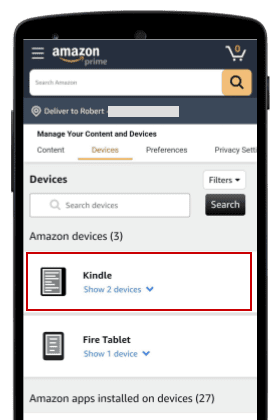
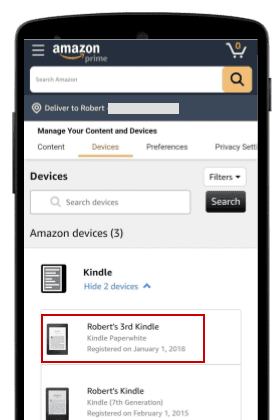
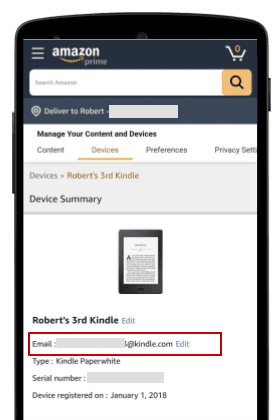
Outside of the United States? Clink a link below to access your Amazon Device Manager.
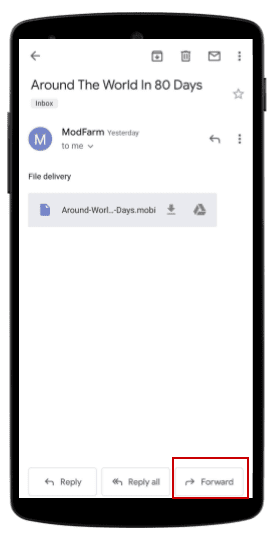
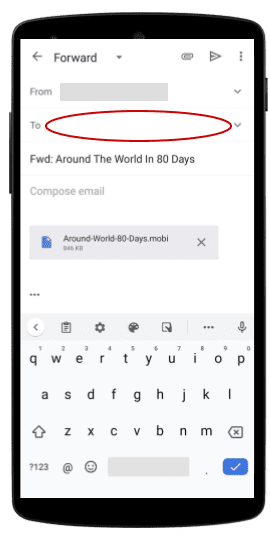
Forward The File Delivery Email
The File Delivery Email is designed specifically for Kindle’s import process. All you need to do is forward it to your Kindle Email Address. Amazon will take it from there.
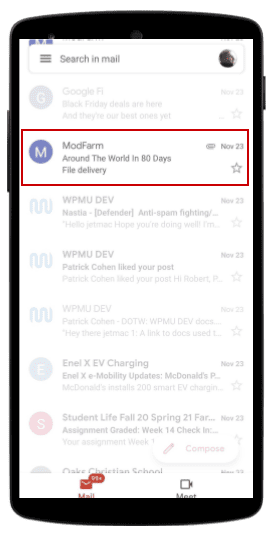
And that’s it.
In a few minutes, you will see your new book file in the Kindle Library for all of your apps and devices.